Copy of Skyward Resources
Announcing Skyward Qmlative
The Qmlativ Education Management system brings a new interface, redefined processes, and a better experience to faster administrative tasks and simpler student and business data management.
What's Different?
Search
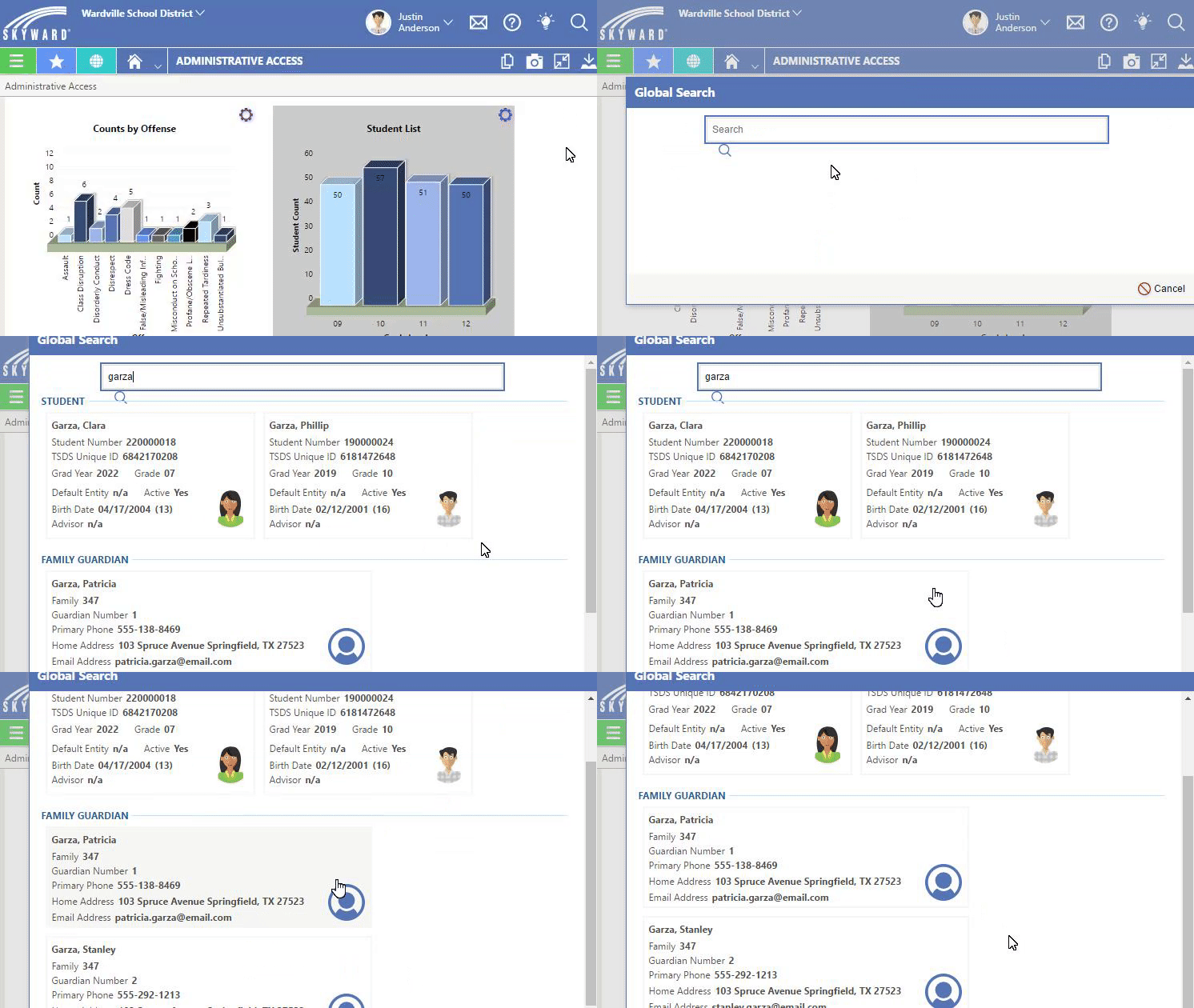
With Qmlativ's global search, you can search for just about any piece of information from any screen in the system. Global search will locate any example of the word or phrase in the system, even with only a small fraction of the name or word to work from.
Global Search Example
Find current enrollment numbers
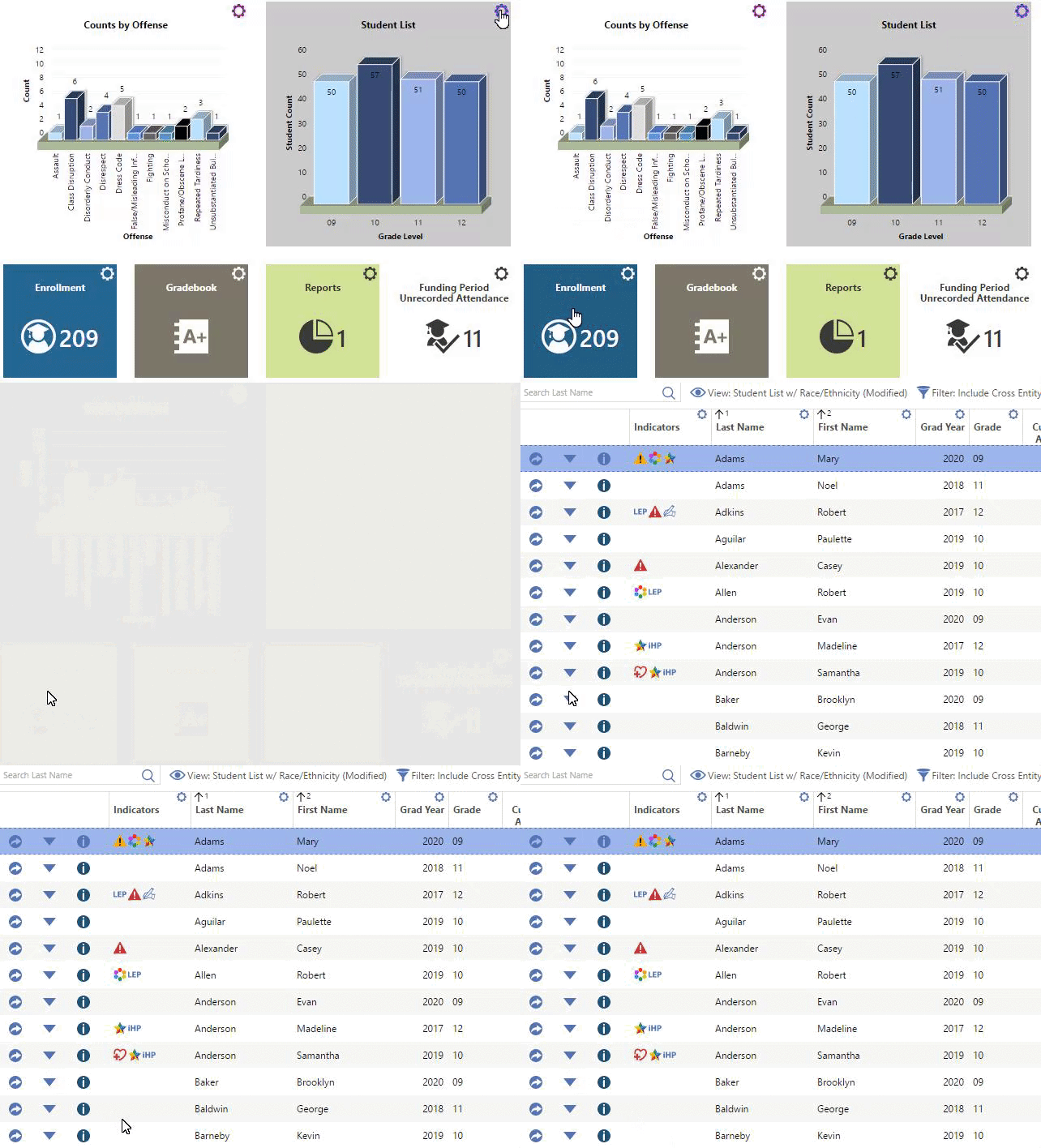
For a quick peek at current enrollment numbers (or other metrics), give yourself a live tile and you’ll see up-to-date data right on your dashboard. Enrollment numbers will update whenever a change is made, and you can click on the tile to drill into more details.
Enrollment Numbers Example
Produce Reports
One of the most exciting features of Qmlativ is its built-in report writer. Now, you’ll not only have an easier time finding the data you care about, you can also feel confident sharing it directly from Skyward. As an added bonus, Qmlativ’s dynamic chart tiles and live tiles should take the place of a number of recurring reports you may currently be scheduling in SMS 2.0. When the data’s right there on the dashboard of the person who needs it, there’s no need to send them something extra.
Help Center
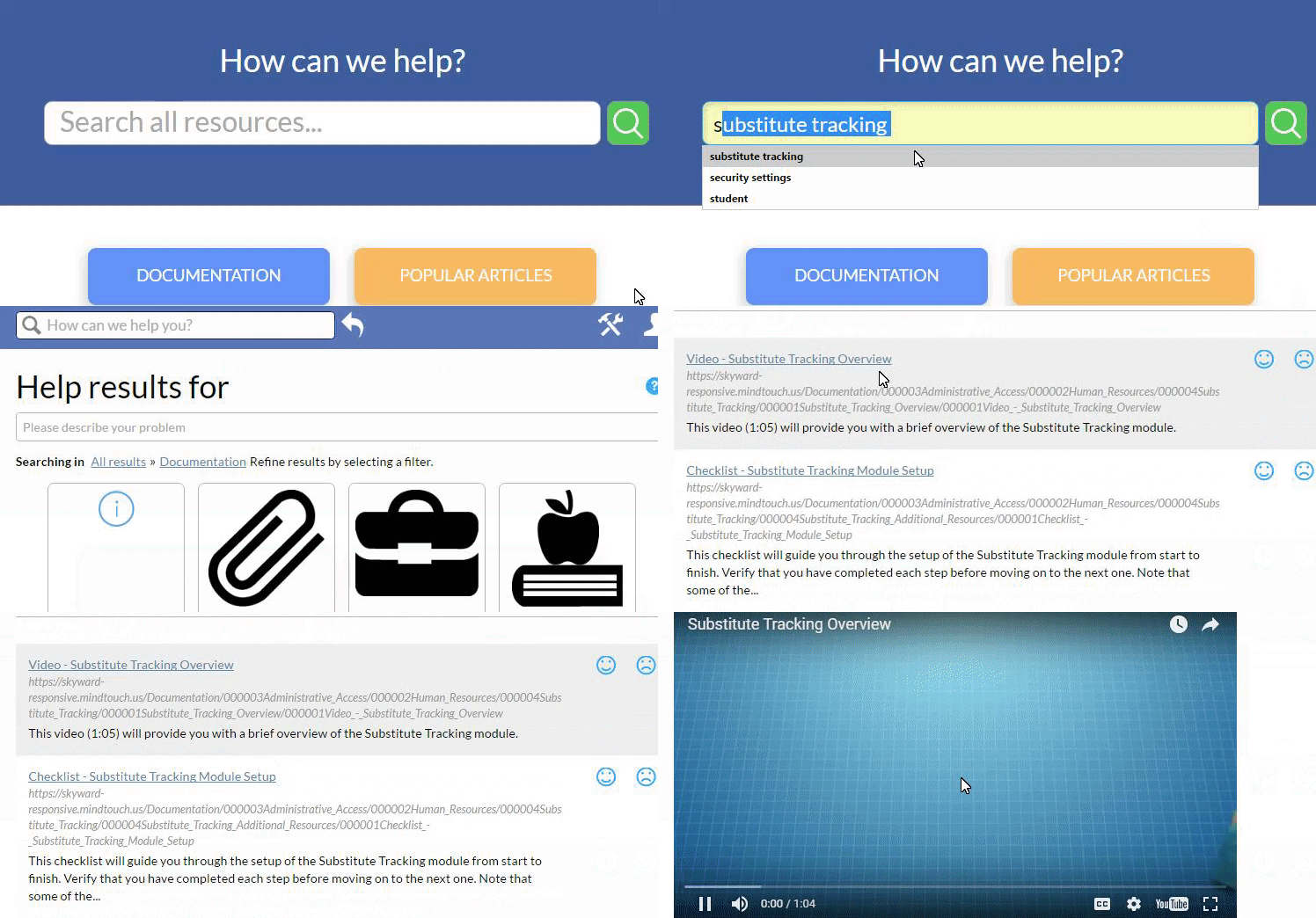
When you dig into the Help Center, you’ll find a differentiated library of videos, written tutorials, and interactive flowcharts designed to help you work smarter, no matter how much or how little prior knowledge you have.
The adaptive, intelligent search platform ensures that you will always be presented with the most helpful and relevant information based on the topic you’re looking for help with. The navigation is streamlined, the content is stronger, and you won’t be limited to PDFs and recorded webinars.
The adaptive, intelligent search platform ensures that you will always be presented with the most helpful and relevant information based on the topic you’re looking for help with. The navigation is streamlined, the content is stronger, and you won’t be limited to PDFs and recorded webinars.
Help Center Example
Training
Professional Development Center
The PDC is included in the core license for all Qmlativ users. This training tool is designed for Skyward users in every role. With self-paced courses and simulated walkthroughs, it's the ultimate resource for Skyward users. The PDC is popular as a reference and refresher tool for existing staff, as well as a quick way to bring new hires up to speed. As we transition into Qmlative, you will be assigned courses to help explore the new Skyward experience.
Skyward Community
The Community connects you to a global network of Qmlativ users. Some of the Community's most popular features include report sharing, discussion boards, and blog posts by the Skyward team. There are also opportunities to join groups specific to you. With the help and guidance of this Community, you're sure to find ways you can improve. Learn more in this overview article.